Welcome to the third of three special editions of Design Matters Digest, a monthly newsletter that explores elements of online course design and the research that can help you improve your Canvas courses. In the first three months of 2026, the Digest is focused on building universal design principles into Canvas course design. This month, we’re exploring how design can facilitate a variety of options for learner action and expression to support their success.
“To reduce media-specific barriers to expression among learners, it is important to provide learners with multiple options to express themselves”
(Rawat et al., 2024).
The Universal Design for Learning (UDL) guidelines emphasize that when students have different ways to practice, demonstrate, and communicate what they’ve learned, they can better reflect their understanding, apply skills more flexibly, and build confidence in their learning (CAST, 2024). Providing options for how students take action and express their knowledge can also reduce barriers for learners who may struggle with a single format, making learning more inclusive and accessible for everyone (Rawat et al., 2024).
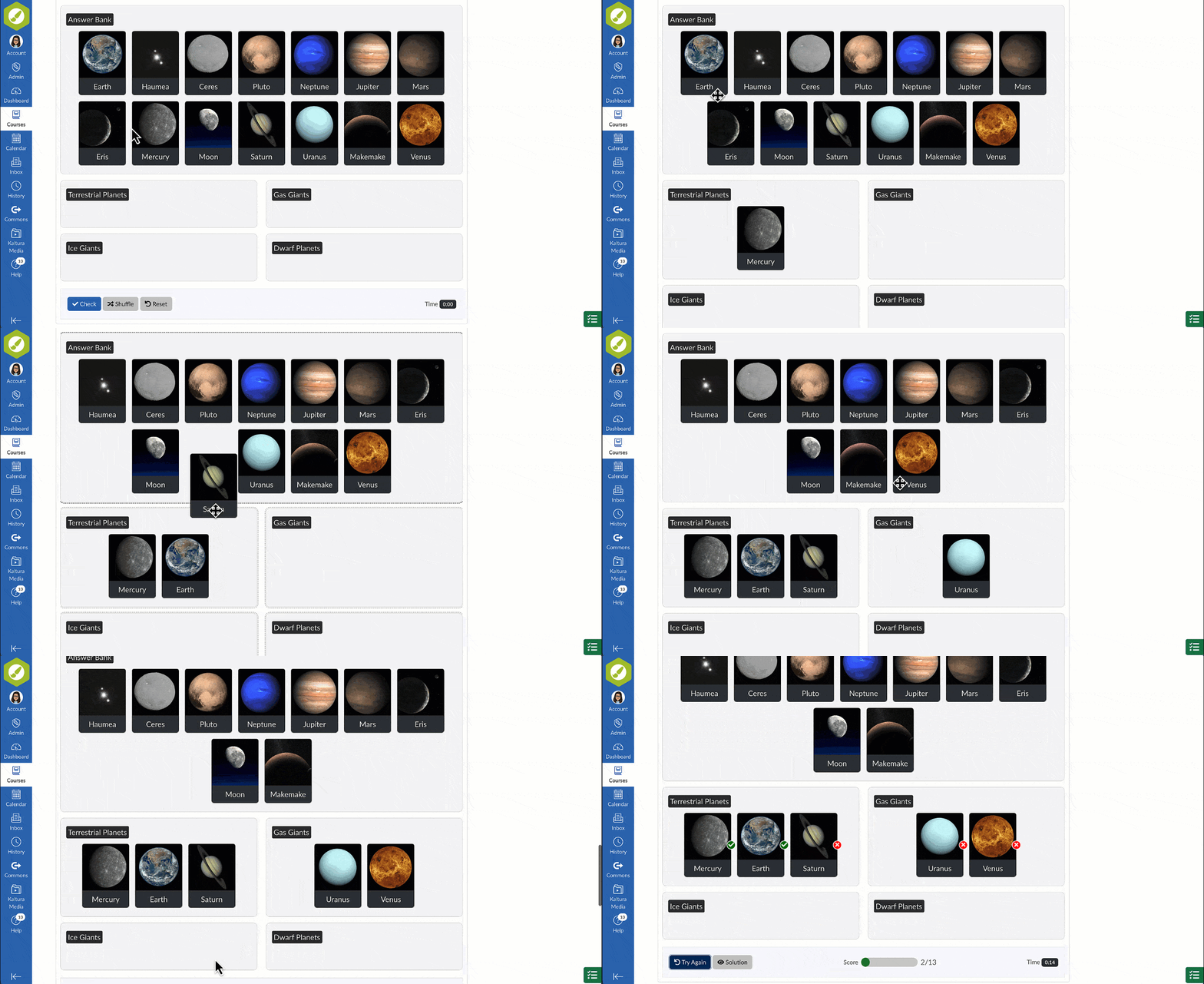
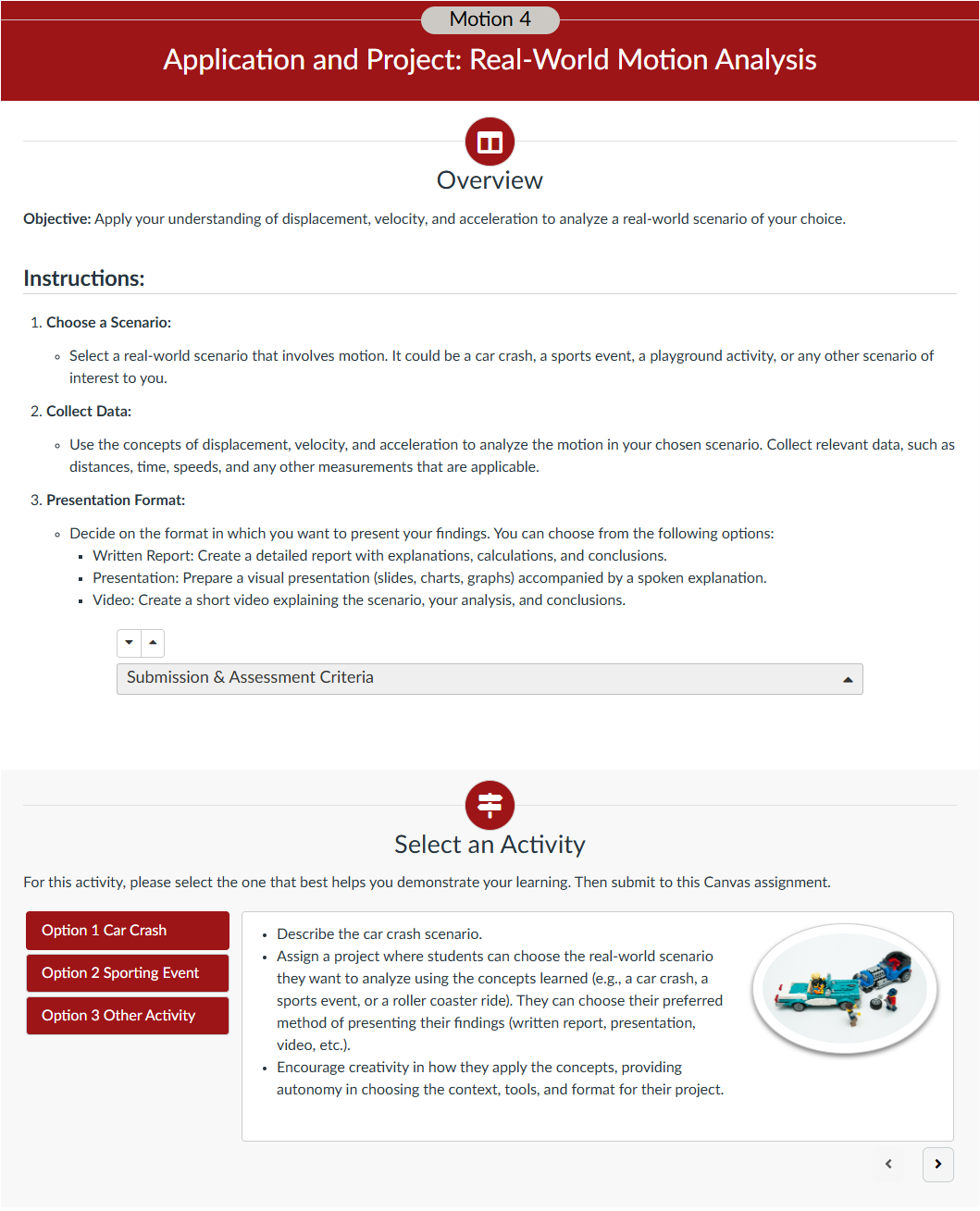
But when providing response options in Canvas leads to overwhelmingly long assignment descriptions, or when incorporating interactive practice opportunities leads to accessibility barriers, course creators need design solutions!
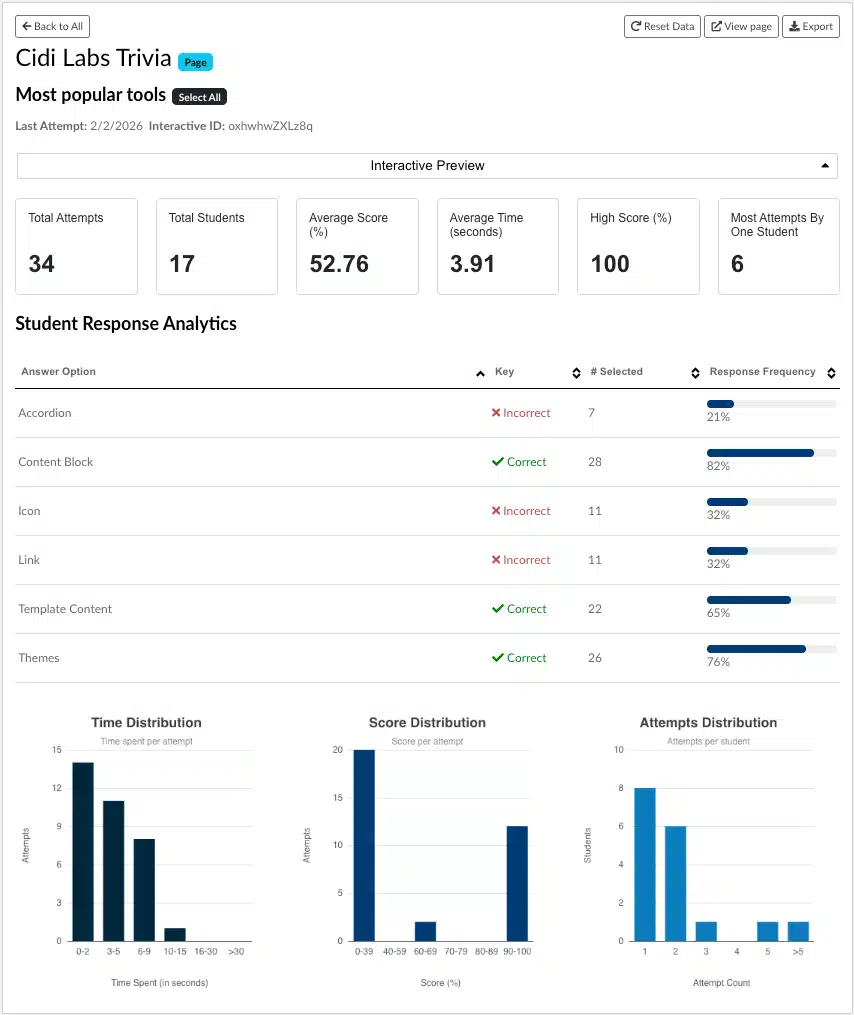
Let’s explore a few tips for how to build multiple means of action and expression into Canvas–without the usual tradeoffs–and some tools that make it easy:
Don’t let barriers stop learners from showing what they know. Use an accessibility checker to scan course content and assignments for issues, and, if you’re asking students to use external tools to express their learning, ensure those tools meet core accessibility standards (see WCAG). Additionally, course designers can limit construct-irrelevant barriers–portions of an assessment task that aren’t directly related to measuring the learning objective–by offering multiple ways for students to respond or complete a task.
We’ll bring these tips to life and do a deeper dive into the research on March 26th at 11am MT in our upcoming Building Universal Design in Canvas webinar: Learner-Centered Action & Expression. Register now!
““I love the DesignPLUS Sidebar. There is nothing easier to develop interactive or engaging content and displays for students.”
– Karyn West, Teaching and Learning Coordinator, Catholic Schools Parramatta Diocese Limited
Citations:
Bayerlein, L. (2014). Students’ feedback preferences: how do students react to timely and automatically generated assessment feedback? Assessment & Evaluation in Higher Education, 39(8), 916–931.
CAST (2024). CAST Universal Design for Learning Guidelines version 3.0. Retrieved from https://udlguidelines.cast.org
Doo, M.Y., Bonk, C.J., & Heo, H. (2020). A Meta-Analysis of Scaffolding Effects in Online Learning in Higher Education. The International Review of Research in Open and Distributed Learning.
Rawat, Shraddha & Jain, Parisha & Saini, Akash. (2024). Designing UDL-Informed Online Learning with Digital Tools.
Rotar, O. (2022). Online student support: a framework for embedding support interventions into the online learning cycle. RPTEL 17, 2.
Web Content Accessibility Guidelines (WCAG) https://www.w3.org/TR/WCAG/
Description