UDOIT Advantage: The Course Accessibility
Assistant for Canvas

Easily identify and fix accessibility issues across your Canvas courses.

Play video: UDOIT, the tool for providing accessible learning experiences in Canvas

This easy-to-use Canvas plug-in scans course content and files, identifies accessibility issues, and provides clear guidance to fix problems - without requiring accessibility expertise.


The Challenge of Improving Accessibility in Canvas

Creating accessible Canvas courses is essential – but often overwhelming. Instructional designers and educators are expected to:

Plus, many accessibility checkers require users to apply accessibility fixes page by page. For full courses, this approach is time-consuming and inefficient. Without the right tools, accessibility work becomes manual, inconsistent, and time-consuming.

A Purpose-Built Accessibility Assistant for the Canvas LMS

UDOIT Advantage from Cidi Labs is a Canvas course accessibility assistant created by educators to address these challenges head-on.

Installed directly in your Canvas environment, UDOIT scans course content automatically, identifies accessibility issues, and guides users through fixes. And it does so while helping teams learn why issues occur and how to prevent them in the future. With UDOIT Advantage, institutions can:

UDOIT Advantage

How UDOIT Advantage Works

UDOIT Advantage combines automated scanning, guided remediation, efficient workflows, and actionable reporting to support a sustainable accessibility process in Canvas.

Coursewide Accessibility Scanning

When and Where You Need It

UDOIT lets users run accessibility scans on demand. It provides a holistic view of accessibility issues across Canvas course content and files – without requiring page-by-page checks.

Scans can be initiated:

Issues are identified across:

This coursewide scanning approach helps institutions understand the overall state of accessibility, prioritize remediation efforts, and address issues more efficiently – without being burdened by manual, item-by-item reviews.

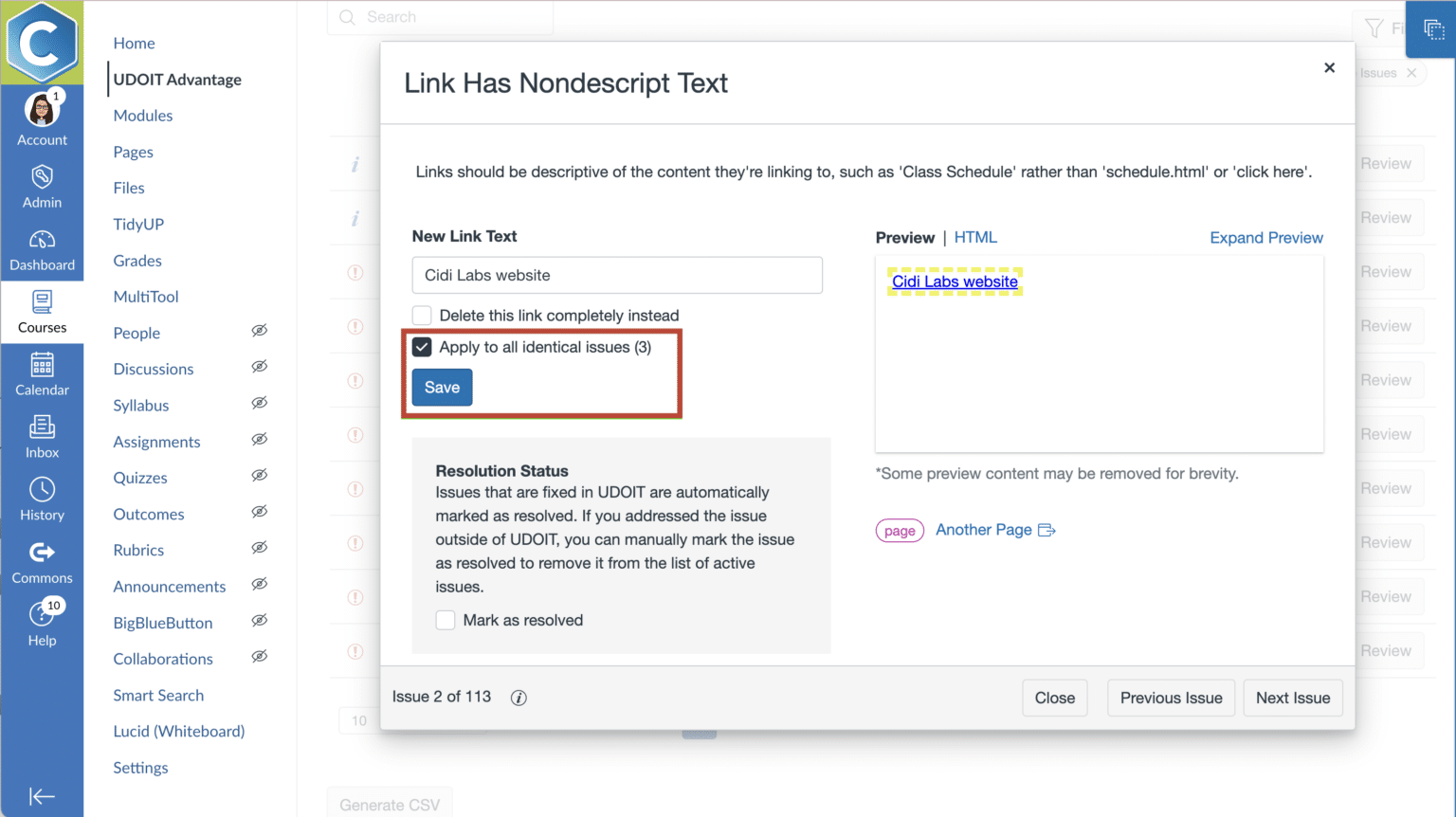
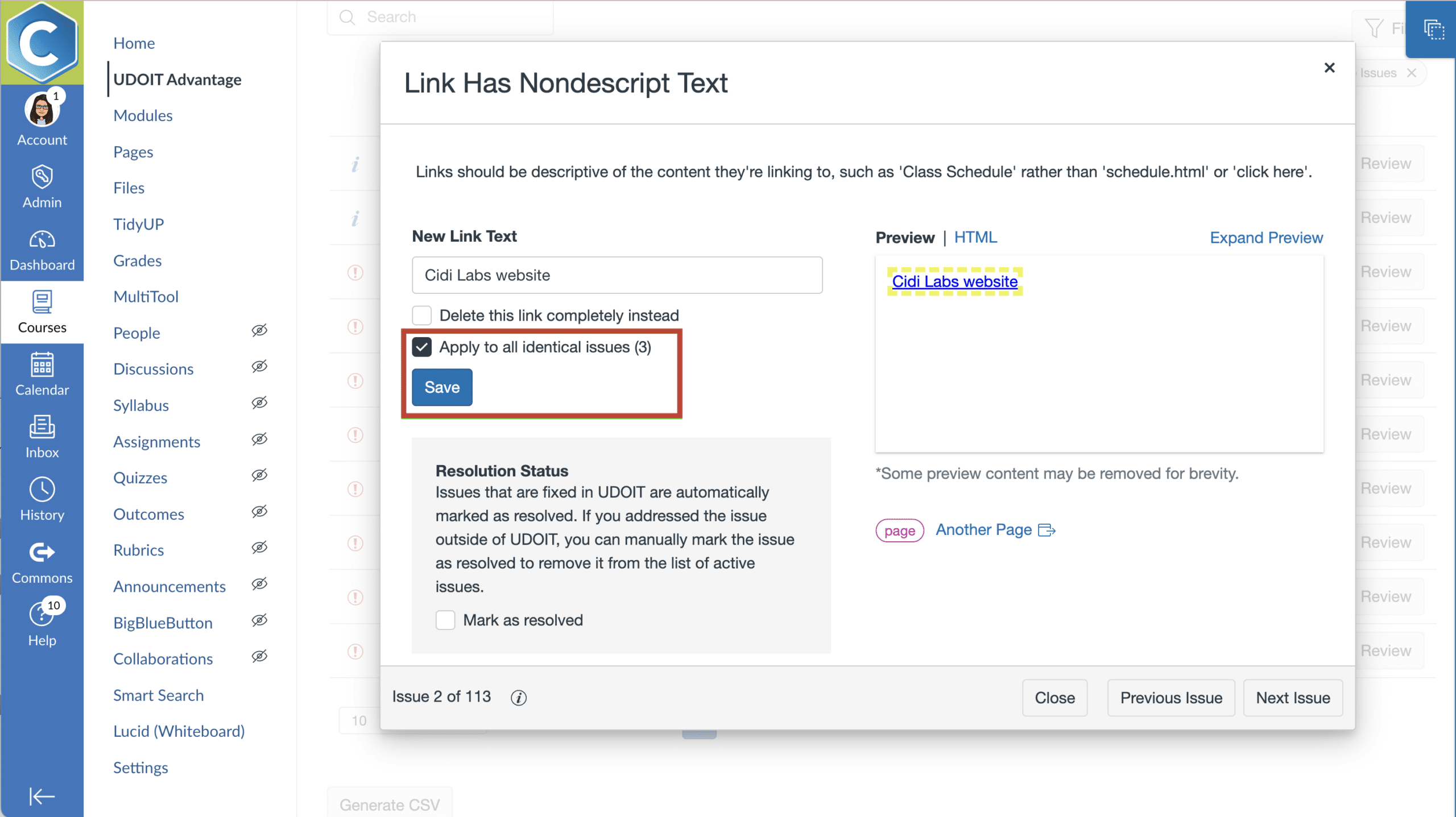
UDOIT window showing link with nondescript text, a text box for entering descriptive text, and a checkbox to apply the fix to all 8 indentical issues
Get the data you need to guide your accessibility journey through account and course-level accessibility scorecards.

Guided Remediation

with Clear Explanations

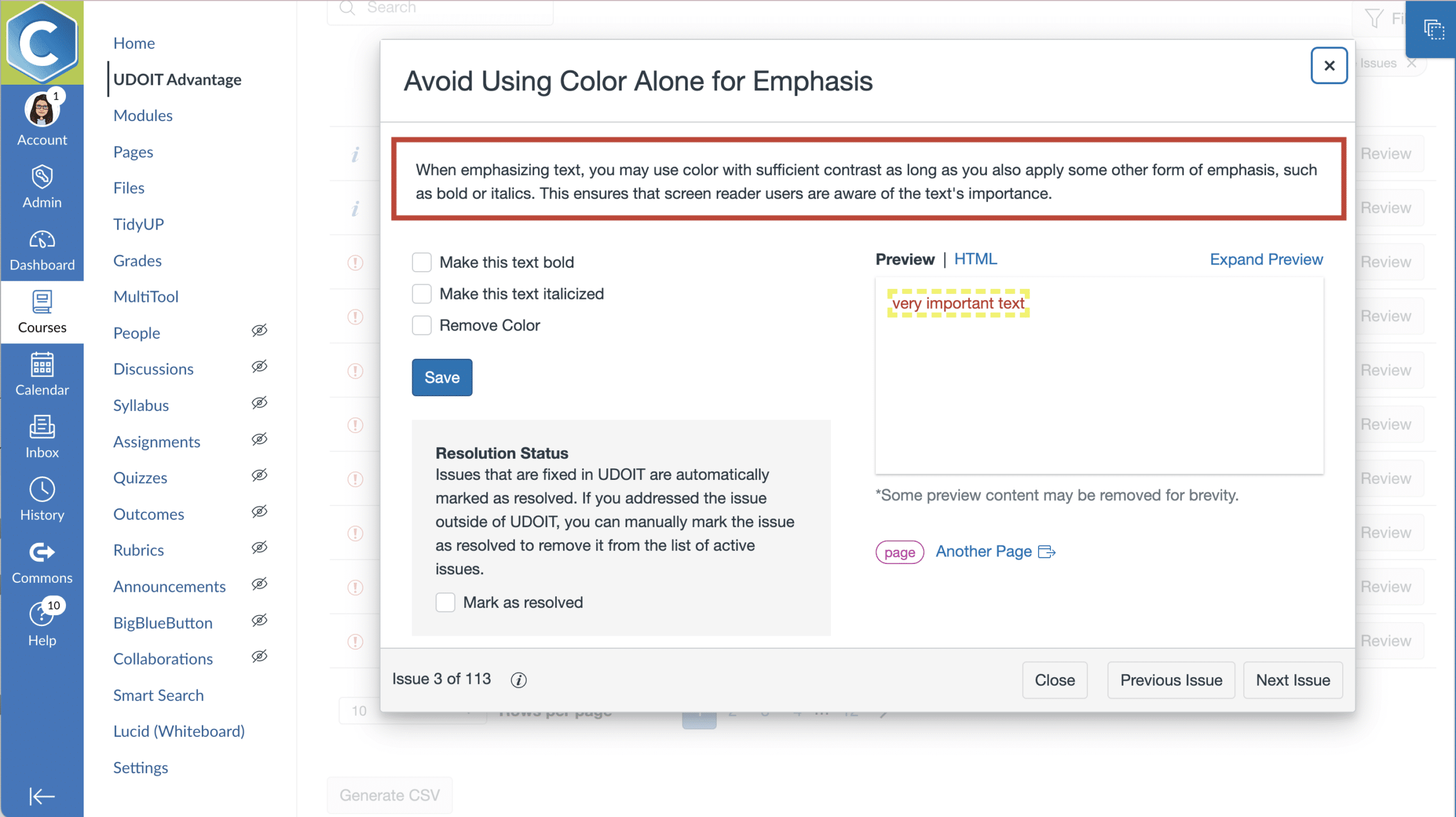
UDOIT doesn’t just flag issues, it explains them.

As users work through accessibility fixes, UDOIT provides:

This approach improves accessibility and builds institutional know-how. Plus, institutions can leverage the companion course ULEARN to scale tool-based accessibility learning.

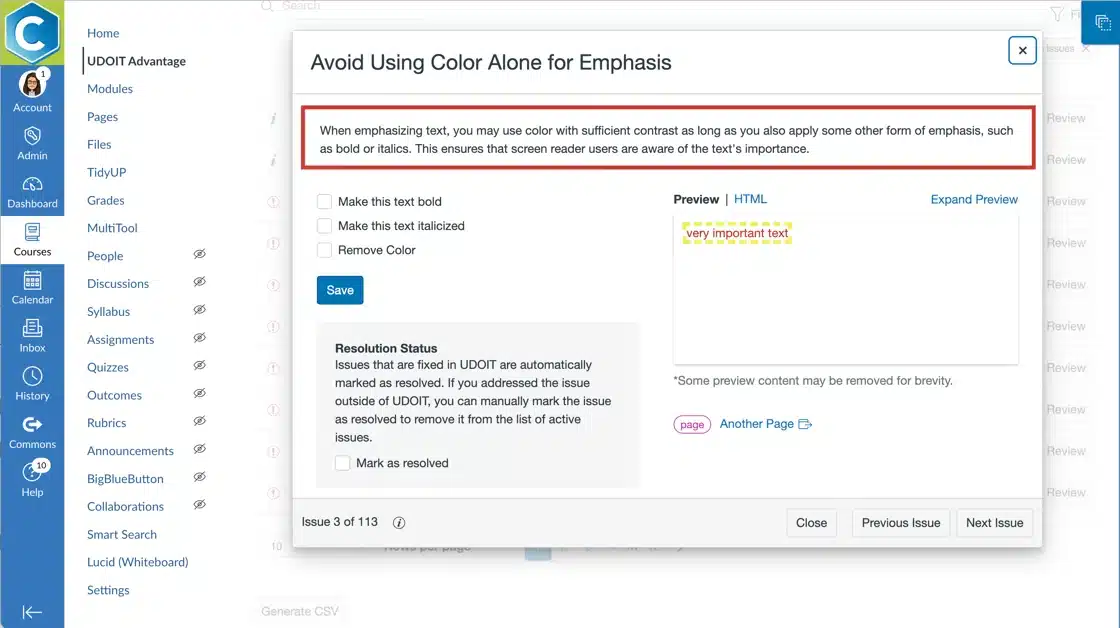
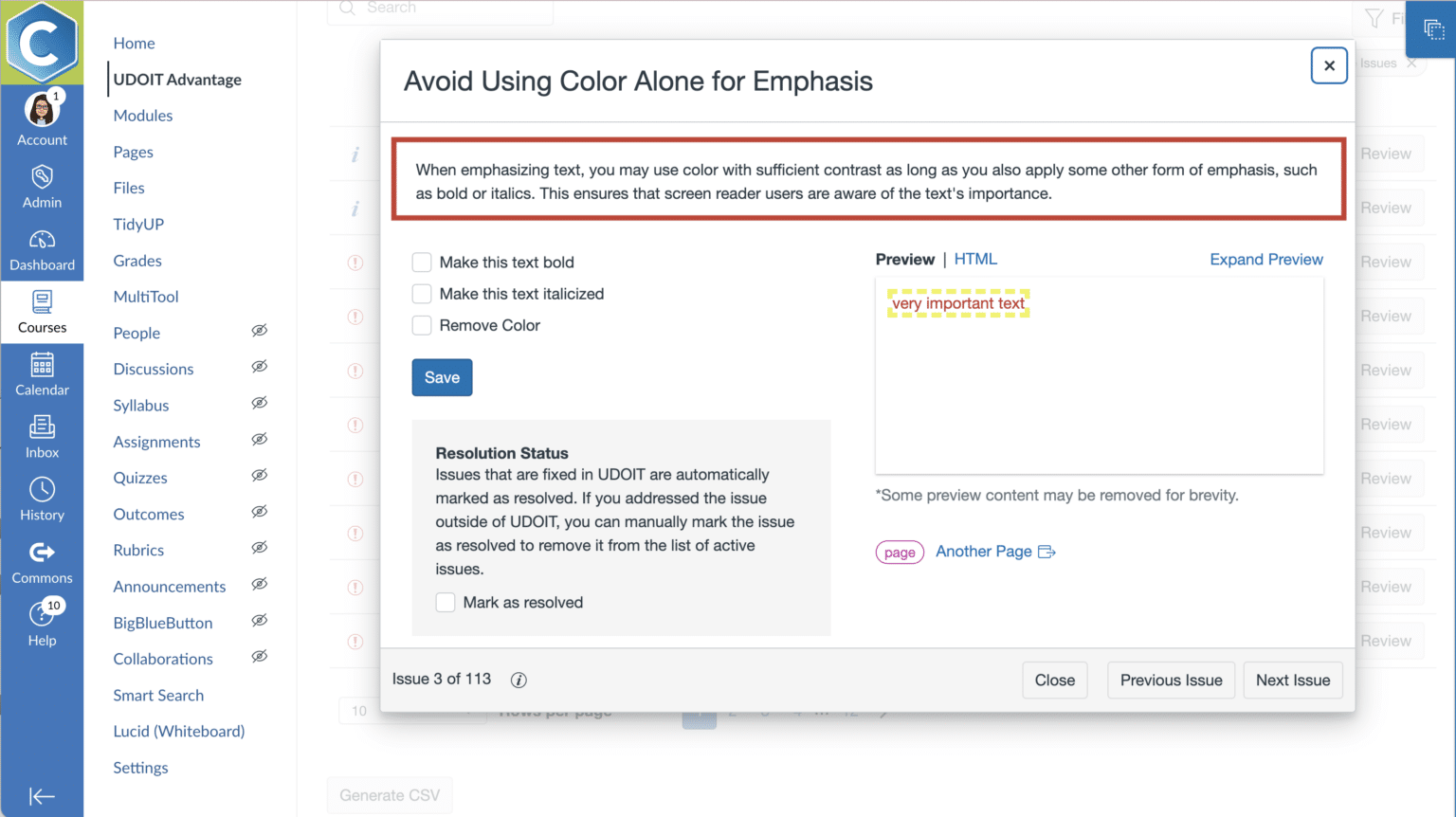
UDOIT showing issue with explanation, guidance, and the features to apply a fix
Empower course designers to better understand the importance of accessibility with actionable guidance while remediating issues.

Smart Filters

and Efficient Workflows

Smart filters reduce concerns of being overwhelmed by helping users prioritize issues and make progress quickly.

Optimized workflows make it easier to:

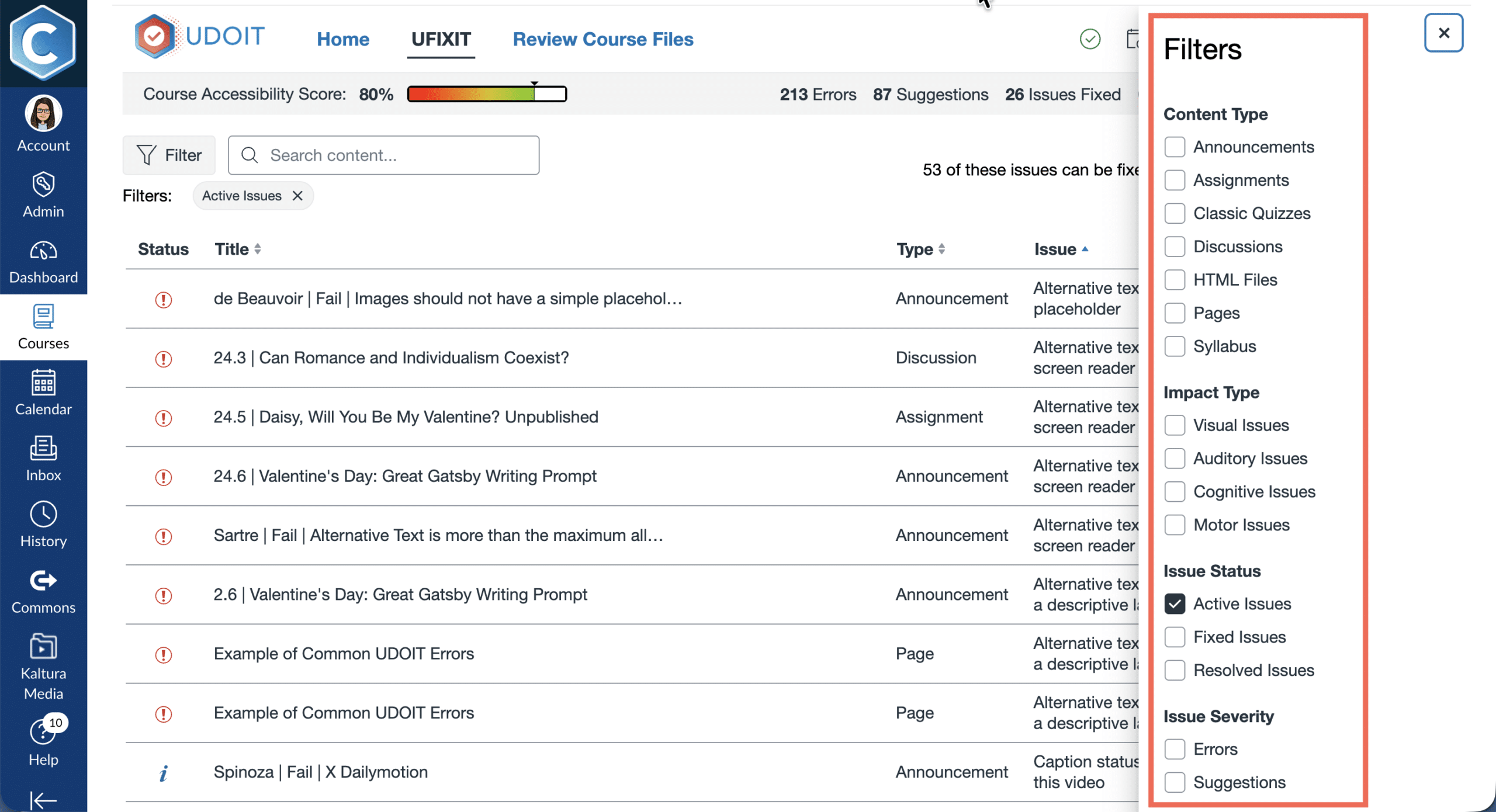
UDOIT Filters
Help users focus on the most impactful accessibility issues, so progress is faster and more manageable.

File Remediation

and Replacement

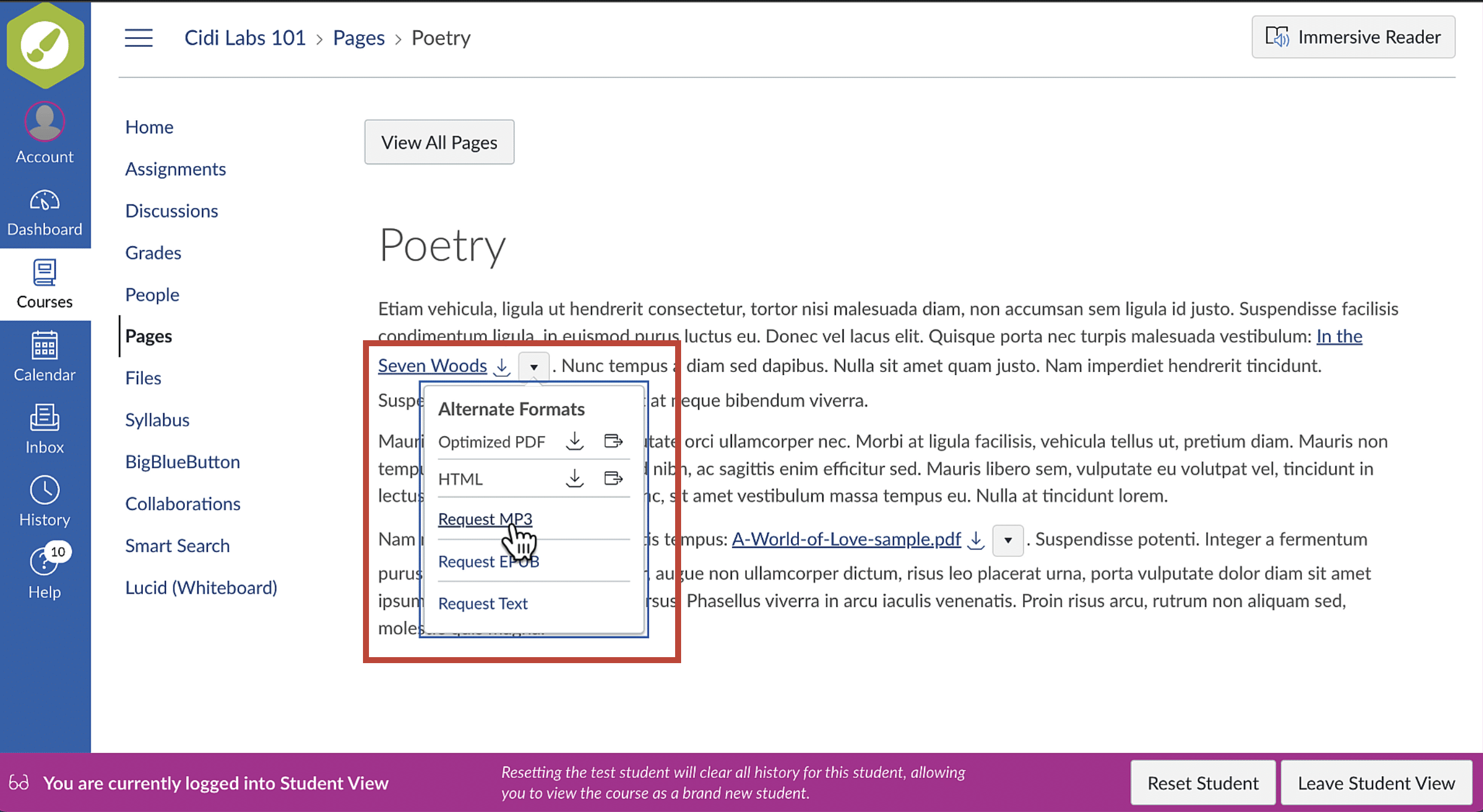
UDOIT supports document accessibility by enabling:
This ensures students interact only with accessible content, without broken links or duplicate work.
Meet the varying needs of your learners.
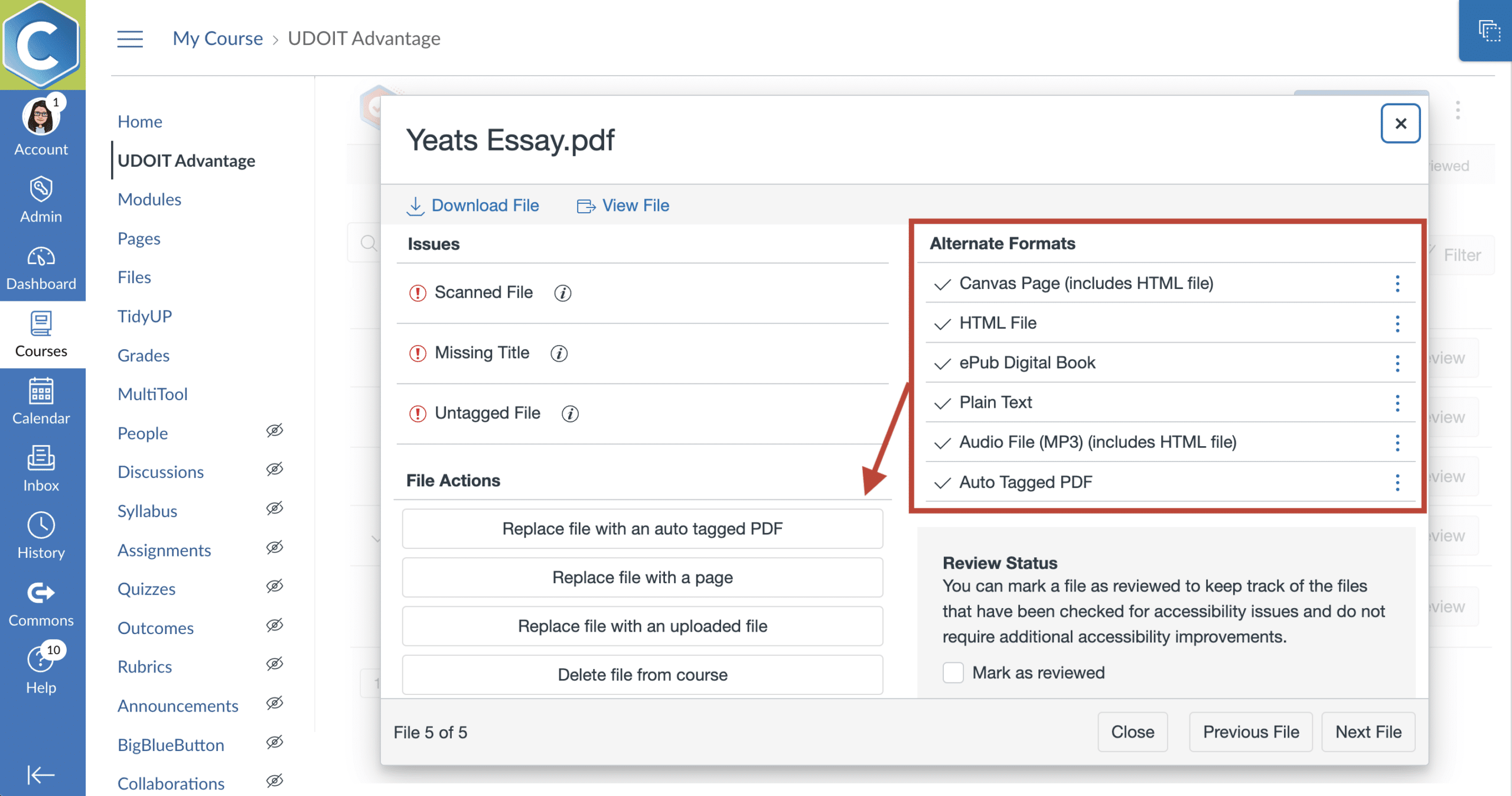
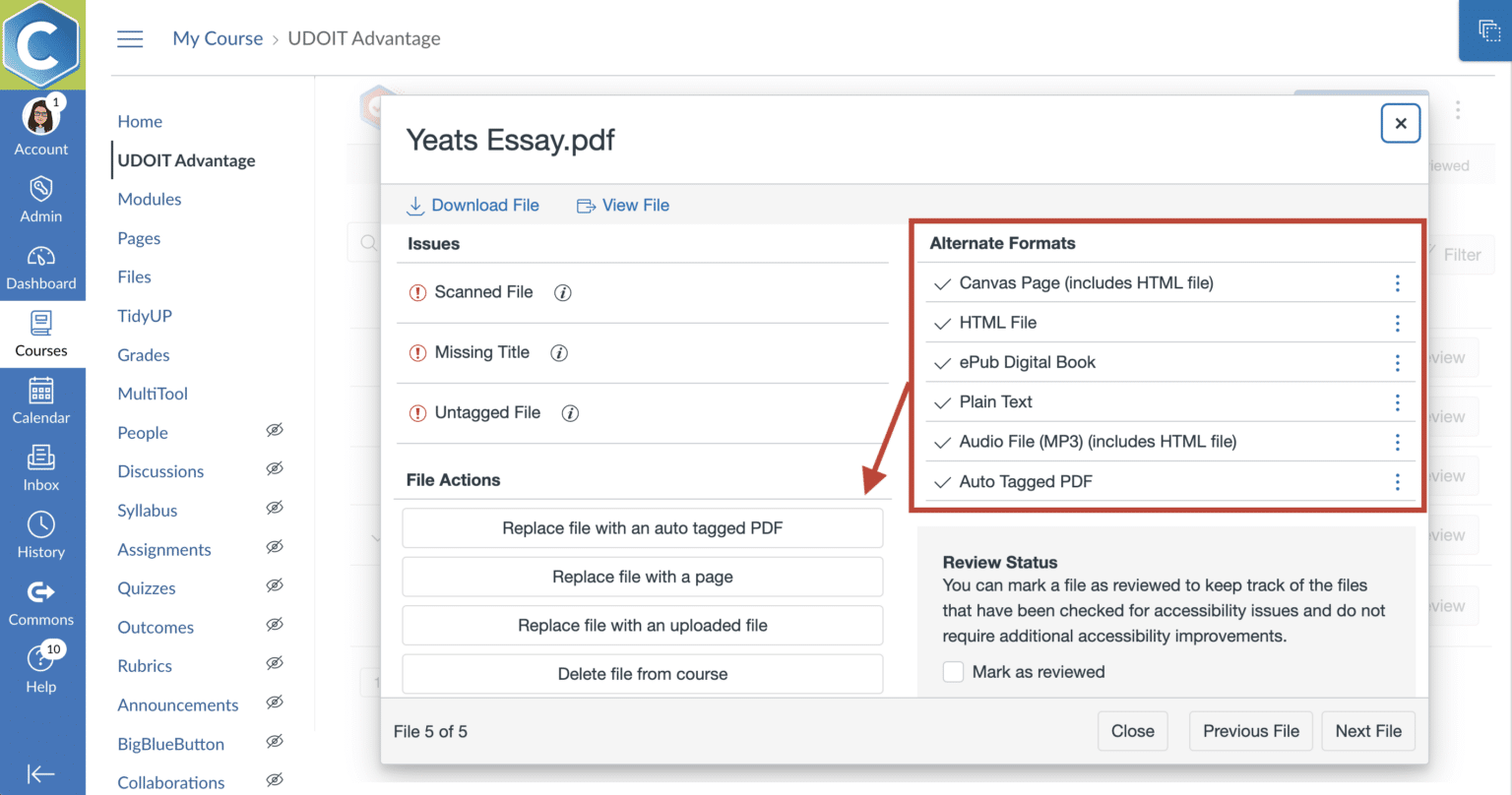
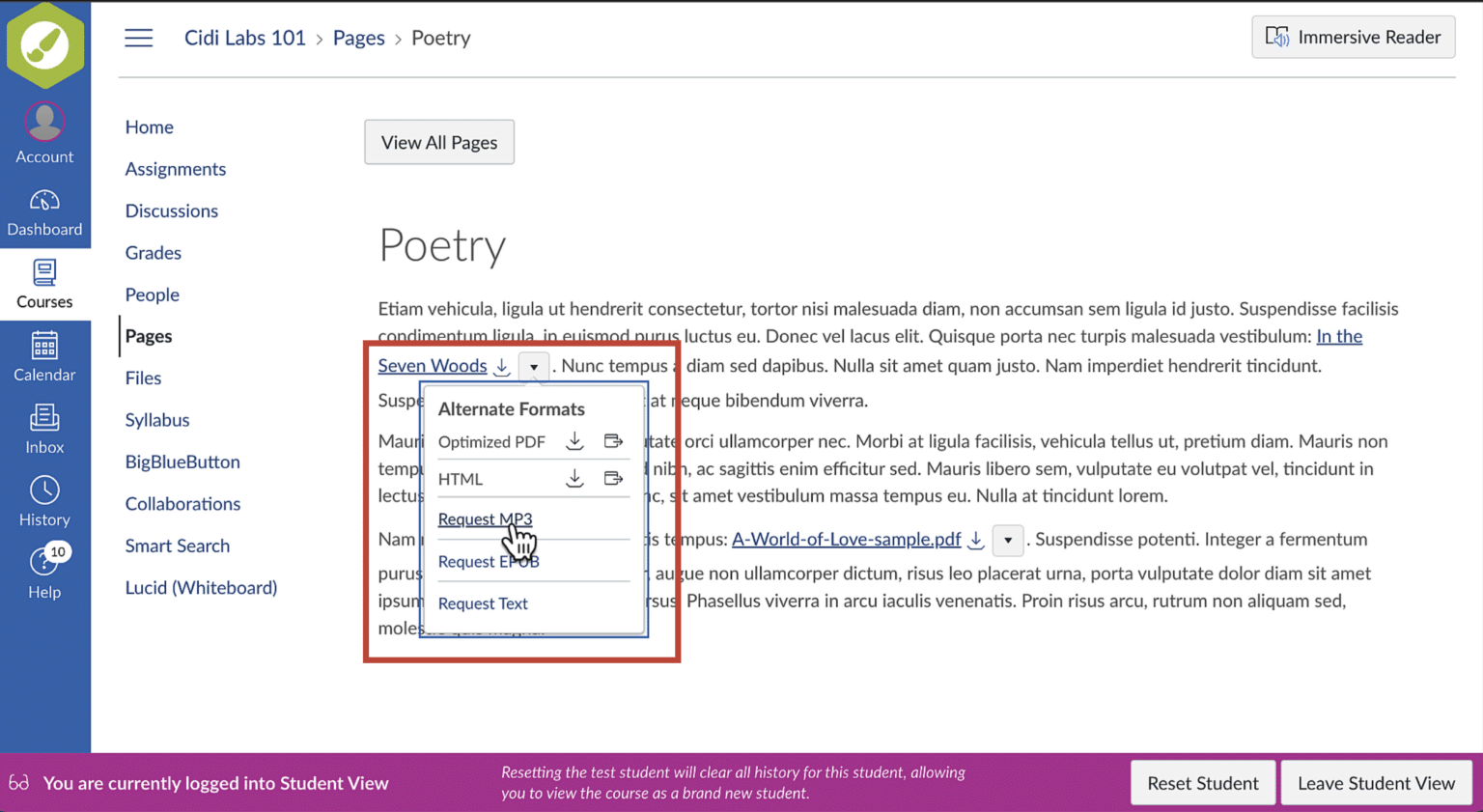
Auto-generate alternate file formats and convert course files to more accessible Canvas pages at the touch of a button.

Reporting, Scoring,

and Progress Tracking

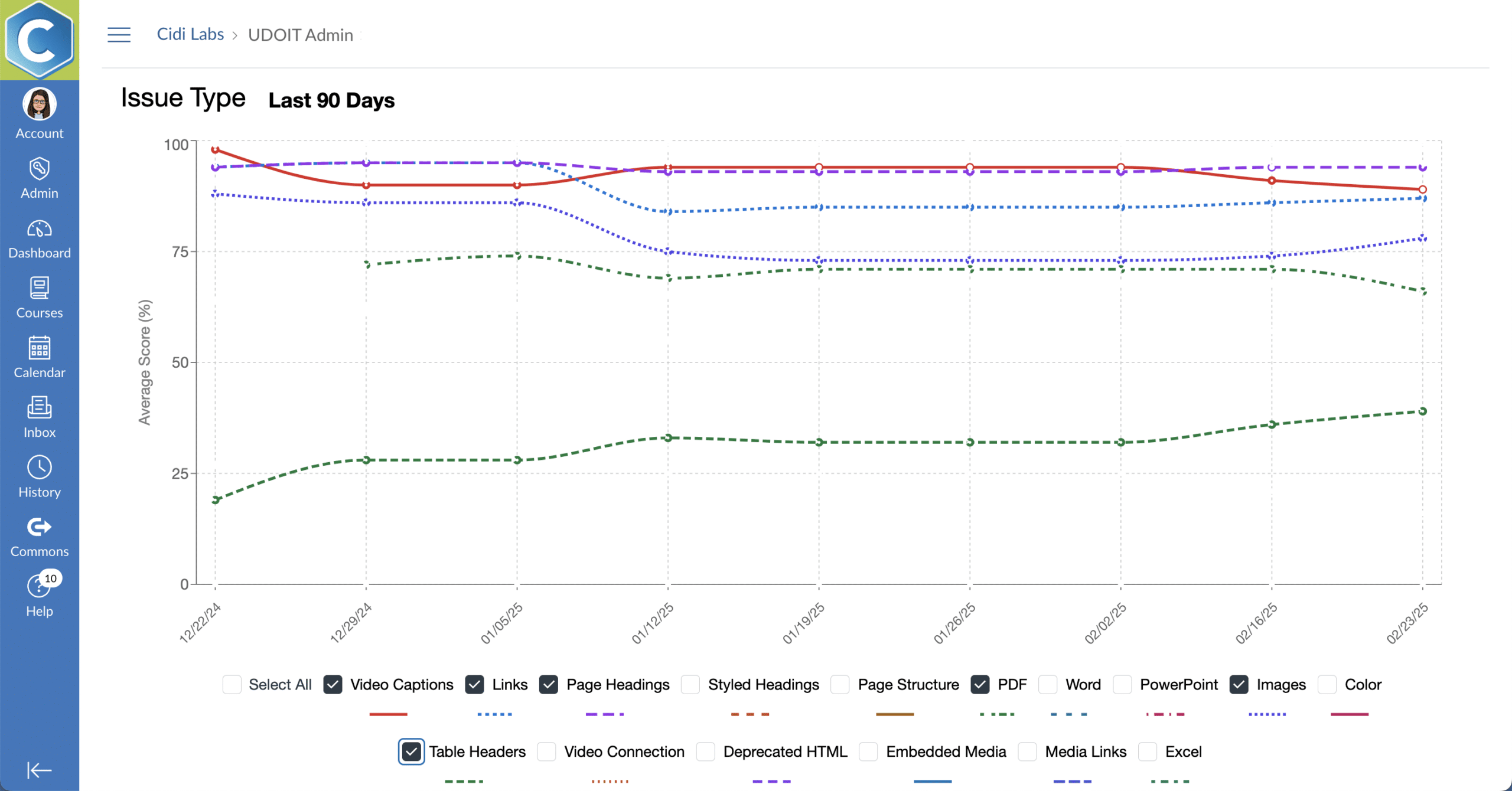
UDOIT Advantage includes insightful reporting tools that help institutions understand and demonstrate accessibility progress.

With scoring and reporting enhancements, institutions can:

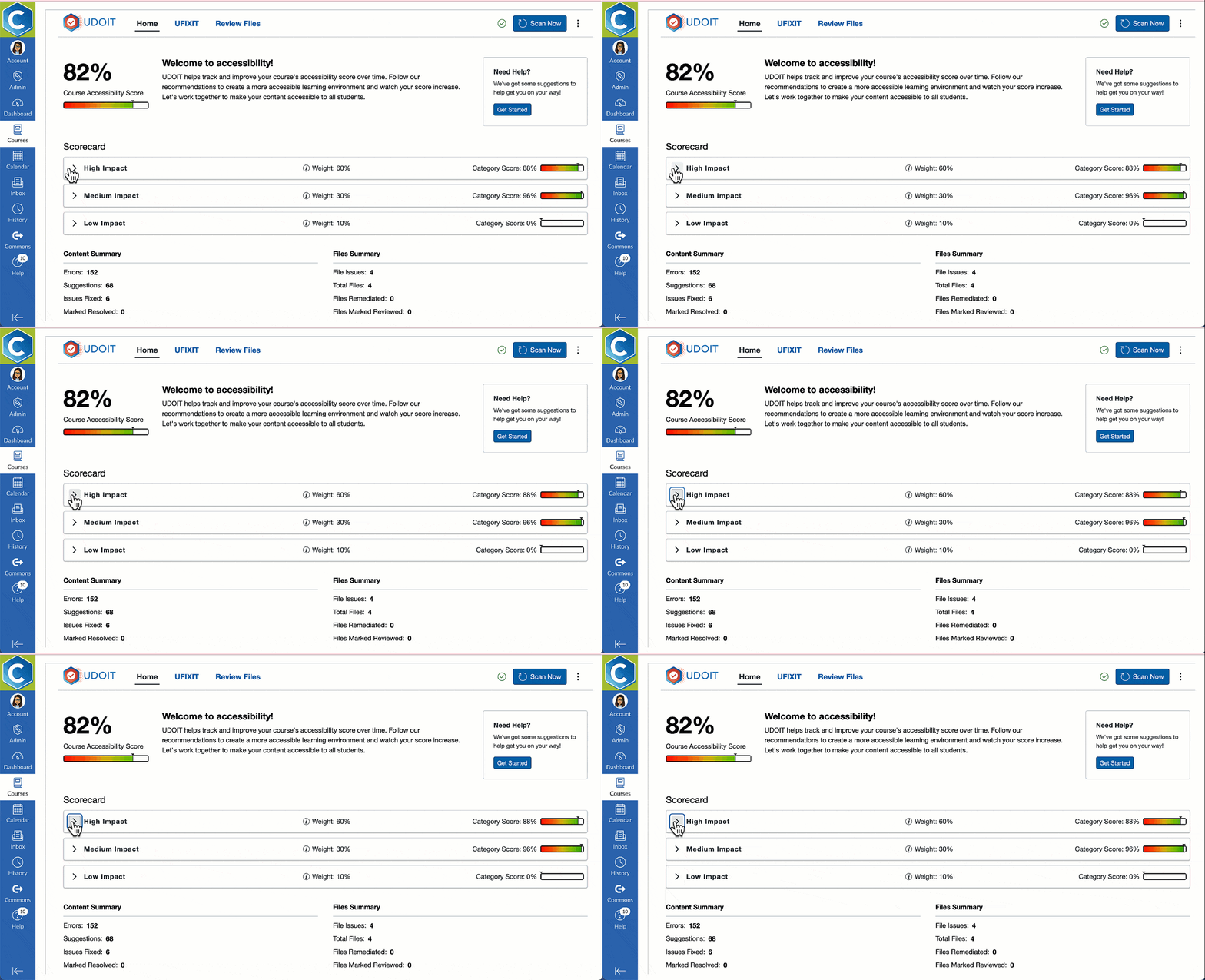
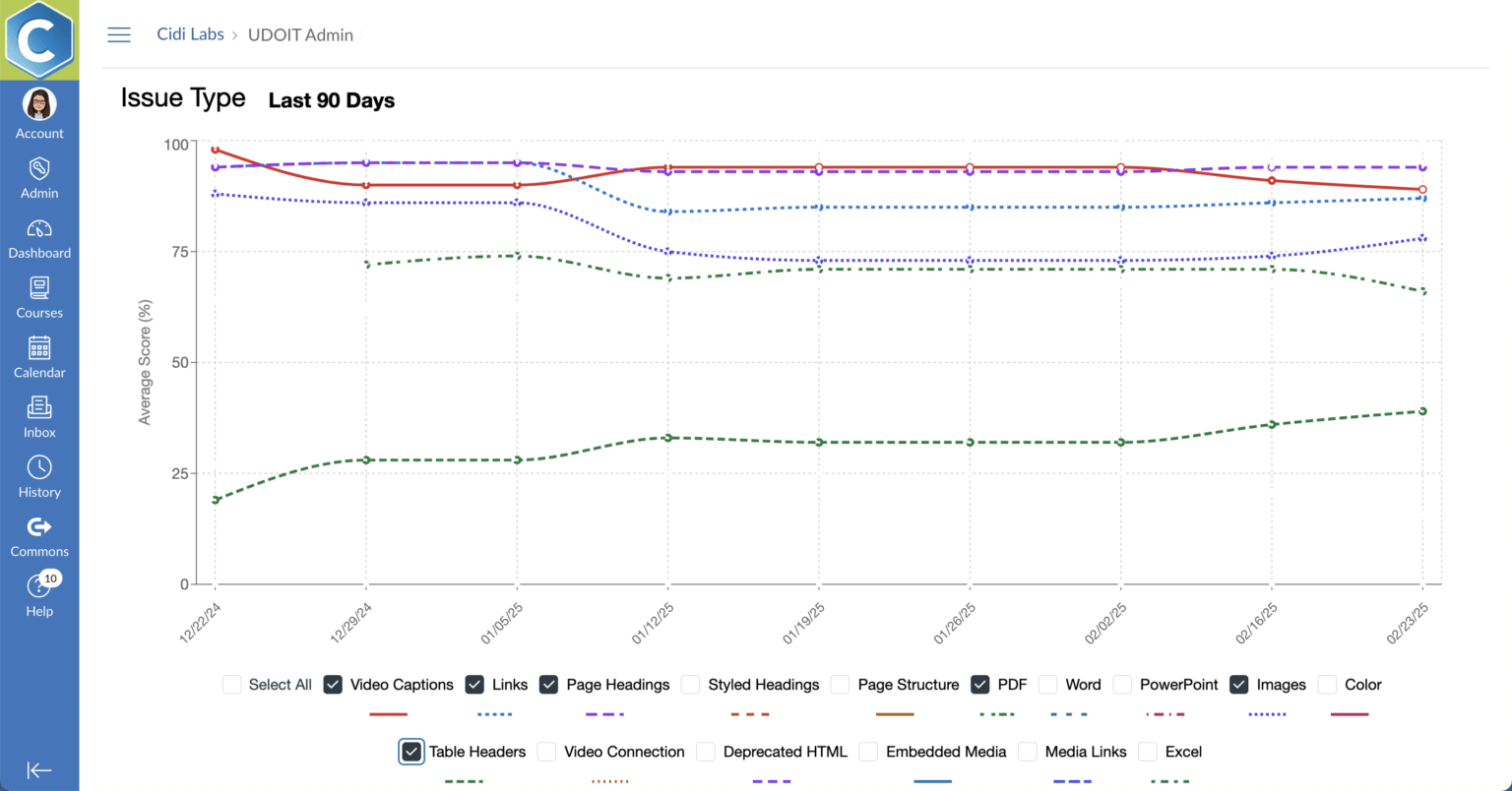
UDOIT Admin issue type report
Understand how your accessibility efforts are paying off through UDOIT's robust reporting at the course and account levels.

See why it’s never been easier to improve accessibility in Canvas.

What Your Institution Can Achieve with UDOIT Advantage

Improve Course Accessibility at Scale

UDOIT enables teams to identify and address accessibility issues across Canvas courses without relying solely on specialists.

Build Accessibility Knowledge Across Teams

Clear explanations and guidance help designers and instructors understand accessibility principles and apply them consistently.

Work More Efficiently

Well-structured, visually engaging, and accessible courses reduce cognitive load, improve navigation, and encourage students to persist in their learning.

Support All Learners

Accessible content removes barriers to engagement and success for learners with disabilities and benefits all students.

Demonstrate Measurable Progress

Scoring and reporting tools provide visibility into accessibility status and improvement over time – within and across courses.

How Can UDOIT Give You an Advantage?

Trusted by Educators Worldwide

UDOIT Advantage is used by higher ed and K-12 institutions to support accessible learning at scale.

Designed for Institutional Use

UDOIT Advantage FAQs

Why should I pay for UDOIT? I thought UDOIT is open source.

UDOIT was originally created by the University of Central Florida (UCF) and became a popular open-source solution. UCF did not have the resources to provide ongoing enterprise support for UDOIT users, so it partnered with Cidi Labs to provide a supported UDOIT solution to the Canvas community.

In 2019, Cidi Labs began offering UDOIT as a fully supported cloud solution and has continued to add value to it since.

Cidi Labs is the exclusive hosting and support provider for UDOIT Advantage, offering a solution for institutions who wish to not self-host and self-support their use of the UDOIT open source codebase.

Cidi Labs provides ongoing code updates, bug fixes, and maintenance for subscribers. We wrap our services with a service level agreement (SLA) as well as a support portal where you can report bugs and find answers to common support questions.
Doesn’t DesignPLUS check accessibility?

UDOIT allows users to check accessibility and remediate issues across an entire course, whereas DesignPLUS assists with accessibility page-by-page while editing Canvas content.

The two solutions are complimentary in that DesignPLUS can ensure you create accessible content during creation and editing, while UDOIT can check all the content in a course. Both solutions are helpful for fixing discovered issues.

When used together, your institution is equipped with the tools you need to ensure content not only looks nice, but meets accessibility requirements long after the course is in use.

Are there other accessibility checkers available?

Yes there are other accessibility tools available. However, UDOIT Advantage stands out as the most Canvas-focused and cost-effective solution. It’s ideal for institutions seeking to empower instructors to take ownership of accessibility improvements.

For Canvas institutions seeking a scalable, instructor-friendly solution, UDOIT Advantage offers unmatched value. In summary, UDOIT has the following key differentiators:

  • Focused on Canvas: Tailored specifically for Canvas users, ensuring tight integration and optimized workflows.
  • Self-Service Model: Promotes faculty ownership of accessibility with intuitive guidance and tools.
  • Affordability: Generally more cost-effective for institutions focused on Canvas.
  • Unique Features: Converts files to Canvas pages, filter issues by impact type, filter for unused files, and allows manual resolution tracking.

And to learn about the differences between UDOIT Advantage and the Canvas Course Accessibility Checker, please read this Knowledge Base article.

What is the price for UDOIT Advantage?

UDOIT is provided as a SaaS subscription with the annual subscription price based on organizational FTE or student count (in K-12).

A small implementation and training fee is applied in Year 1 of all subscriptions. This covers installation and set up as well as a few hours of training to get you started.

Name

Position

Description